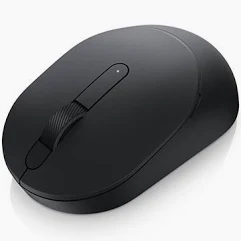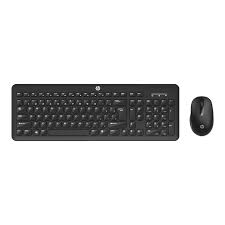

Dell WM118 Wireless Mouse

7.00

Enjoy the freedom of an easy and reliable wireless connection Keep your workspace clean and clutterfree with reliable plug play wireless connectivity Effortlessly connect your mouse via 24GHz RF wireless with a nano dongle which easily connects to a USB port for reliable daily performance up to a 10m operational range For Mouse Button Issues Ensure that there is nothing preventing the mouse buttons from moving Most mouse buttons make a clicking noise when pressed down all the way Reseat the wir

-
+
SKU: SKU-3960-EP878 Categories: Tags:

Share:

Description

Enjoy the freedom of an easy and reliable wireless connection Keep your workspace clean and clutterfree with reliable plug play wireless connectivity Effortlessly connect your mouse via 24GHz RF wireless with a nano dongle which easily connects to a USB port for reliable daily performance up to a 10m operational range For Mouse Button Issues Ensure that there is nothing preventing the mouse buttons from moving Most mouse buttons make a clicking noise when pressed down all the way Reseat the wired USB mouse cable into the USB port Try the wired USB mouse in another USB port on the computer A notice that drivers are being installed may appear if so wait until a message that the drivers were installed before you use the mouse Try another wired USB mouse when available A notice that drivers are being installed may appear if so wait until a message that the drivers were installed before you use the mouse

Reviews

Reviews

There are no reviews yet.

Be the first to review “Dell WM118 Wireless Mouse”

Your email address will not be published. Required fields are marked *

Free shipping

Free shipping on all orders from $59

Safe Payments

100% secure payment

Discount Coupons

Enjoy Huge Promotions

Quanlity support

24/7 Support